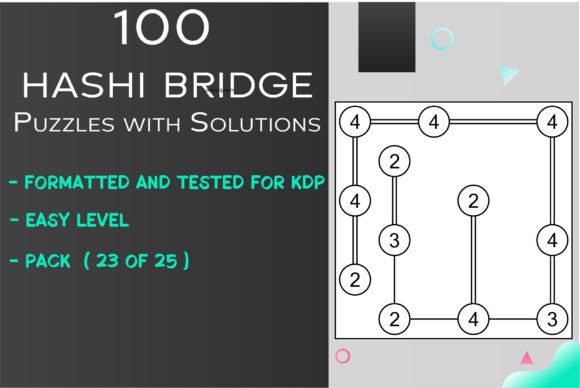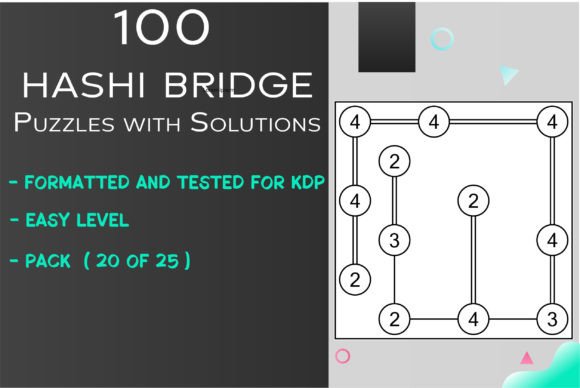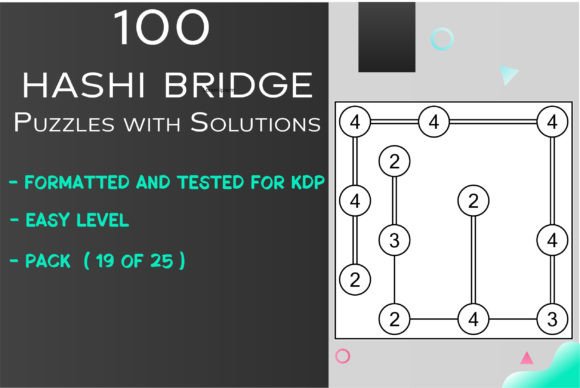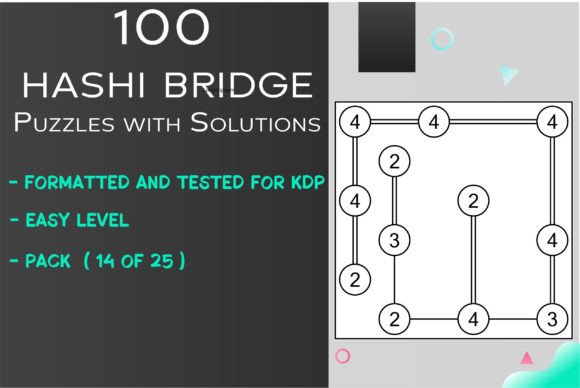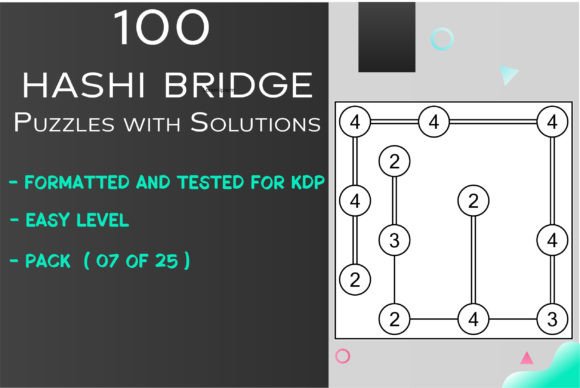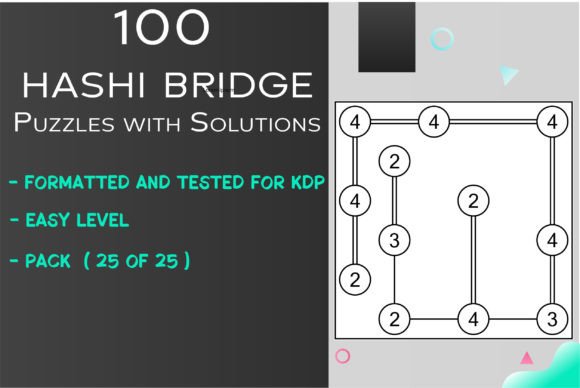
100 Easy HASHI Bridge Puzzles 25 of 25
If you publish puzzle books or design printable games for a living, you know that the real work isn't the puzzles themselves — it's the layout, the formatting, the consistency across pages. You need assets that look clean, scale without breaking, and don't require hours of manual tweaking. That's exactly where 100 Easy HASHI Bridge Puzzles 25 of 25 steps in. This isn't just another puzzle pack thrown together in a rush. It's a polished, production-ready collection built specifically for creators who want to deliver a polished product without reinventing the grid every time.
What This Collection Actually Looks Like
Each puzzle in this set uses a compact 6x6 grid, which makes it ideal for paperback interiors, social media teasers, or even single-page printables. The grid size keeps the solving area tight enough that it doesn't overwhelm a layout but generous enough that the bridges and numbers remain readable. The style is straightforward — clean linework, clear numeric placement, no decorative distractions that eat up contrast. That might sound basic, but for a publisher, that clarity translates directly to fewer customer complaints about illegible print or confusing overlaps. The personality here is functional and reliable. It doesn't try to be cute or trendy. It's a tool that does its job and stays out of the way.
Because the collection comes in EPS, PNG, JPG, and SVG formats, you can drop the puzzles into traditional print layouts, resize them for digital editions, or even animate them for social content. The vector formats (EPS and SVG) are especially useful if you need to tweak line weights or adjust the puzzle size without losing sharpness. The PNG and JPG versions give you a quick preview for mockups or rapid prototyping. For anyone who has ever tried to extract a single puzzle from a PDF only to discover it's flattened and uneditable, having four distinct formats feels like a relief.
Where This Puzzle Collection Shines in Real Projects
If you're publishing on KDP, the most obvious use case is an activity book aimed at adults or older teens who want something between a crossword and a logic puzzle. Hashi (also called Hashiwokakuro or Bridges) has a loyal fan base, and easy-level puzzles are the perfect entry point for newcomers. With 100 puzzles, you can build a slim volume that feels substantial without padding. The 6x6 grid keeps page counts reasonable, and the consistent difficulty means readers won't hit a wall halfway through and abandon the book.
But don't stop at Amazon. These puzzles work equally well in editorial design — think magazine pull-out sections, weekend supplement features, or even branded content for apps and newsletters. I've seen puzzle publishers repurpose similar assets for limited-run printed zines, waiting room flipbooks, and even event swag. Because the design is minimal and the format is vector, you can scale the puzzles down to pocket-book size or up to tabloid spreads without degrading the lines. That versatility matters when you're testing different print formats or trying to appeal to different retailers.
Social media graphics are another underrated application. A single Hashi puzzle, rendered in SVG and colored with a brand palette, makes for shareable content that keeps followers engaged between product launches. It's the kind of asset that works as a carousel post, a story highlight, or even a short video where the solving process is revealed step by step. For bloggers and content creators, embedding a puzzle in a newsletter or blog post adds an interactive element that boosts time on page and encourages revisits.
How Format Choice Affects Your Workflow and Final Output
Having four file formats isn't just a marketing bullet — it genuinely changes how fast you can move from mockup to finished product. Let's break down what each format does for you:
- EPS and SVG: These are your friends for layout flexibility. You can open them in design apps like Illustrator, Inkscape, Affinity, or even Canva if you're working with SVGs. Edit the line strokes, change the bridge thickness, or recolor the numbers to match your interior theme. Because the puzzle data is stored as paths, you can scale without pixelation, which is critical when you're going from a low-res screen preview to a high-res print file.
- PNG with transparency: Perfect for quick placement in PowerPoint, Publisher, or lightweight design tools. If you're not a designer and just want to drag a puzzle into a template, the PNG version saves you from having to render it yourself. The transparent background means you can layer it over your existing page backgrounds without ugly white boxes.
- JPG: Useful for previews, submissions to print-on-demand preview tools, and platforms that choke on vector files. Some upload interfaces still prefer raster images, and having a clean JPG ready to go saves you a conversion step.
The practical takeaway: start your layout with the SVG or EPS version for precision, then fall back to PNG or JPG for testing and uploads. That workflow alone can cut your file preparation time by an hour or two per book.
Choosing the Right Puzzle Assets for Your Brand Identity
Your puzzle book doesn't exist in a vacuum. It competes on a crowded Amazon results page with dozens of other activity books, all vying for the same click. The visual consistency of your interiors directly affects whether a customer perceives your book as a thoughtful purchase or a hastily assembled filler. With this collection, you control the styling. The clean 6x6 grid and straightforward numbering give you a neutral base that you can customize to reinforce your brand identity.
For example, if your brand leans toward minimal monochrome, leave the puzzles as-is and set them against a light gray or white page with a subtle border. If your brand is more playful, use the SVG files to change the number font, add soft colors to the islands, or introduce a dotted grid instead of solid lines. The fact that the puzzle structure is separate from the styling means you're not locked into someone else's aesthetic choices. You're working with a framework that lets you decide how the final product looks and feels.
For small business owners and crafters who sell printable packs on platforms like Etsy or Gumroad, this kind of modular asset is gold. You can offer the same 100 puzzles in multiple themed bundles — one PDF with a vintage paper finish, another with a modern pastel palette, maybe a third formatted for kids with larger grids. Each variation takes you maybe 15 minutes to customize using the vector files. Compared to starting from scratch or redrawing each puzzle by hand, that's an enormous time saving.
Practical Guidance Before You Hit Publish
Before you drop these puzzles into a book layout, take a few minutes to test the readability at your final print size. Even though the grid is 6x6, the puzzle area needs enough margin space so that the bridges don't blend into the binding edge or get clipped by a trim line. I recommend a 0.5-inch margin on all sides for anything smaller than 6x9 inches, and at least 0.75 inches for larger formats. Export a single page as a proof and print it on your home printer before sending the full file to KDP. That simple test can save you from a batch of returns caused by tight gutters.
Also think about solution placement. The collection includes solutions (100 answers, matched to each puzzle), and how you present them matters for the reader experience. The cleanest approach is to place the solutions in a separate section at the back, with the puzzle number clearly marked. If you use the SVG files, you can reduce the solution graphics slightly to save pages, or even add directional arrows for beginners who need extra help. For KDP specifically, solutions add bulk without increasing interior complexity, which can be a strategic move if you want a thicker book spine without adding more puzzles.
If you're collaboration-minded or work with a team, the vector formats also make it easier to hand off files to a designer or formatter. Instead of sending flattened images and hoping they don't misalign, you send the EPS files with clearly named layers. The person on the receiving end can see exactly where each puzzle sits and make adjustments without guesswork. That kind of file hygiene builds trust with your collaborators and reduces revision rounds.
Why This Collection Works for Different Experience Levels
One detail that often gets overlooked in puzzle collections is the difficulty scaling. When every puzzle is marked "easy" but the later ones clearly aren't, you frustrate your audience. This set keeps the difficulty consistent across all 100 puzzles. That delivers a reliable experience for someone working through the book sequentially. It also means you can shuffle pages freely without worrying about a difficulty spike catching readers off guard. For a publisher, that consistency is a huge advantage — it simplifies your layout, reduces the need for difficulty labels on every page, and makes the book feel thoughtfully curated rather than randomly assembled.
For marketers and bloggers, consistent difficulty opens up creative repurposing. You can run a "puzzle a day" series on your social channels, knowing that each day's puzzle is roughly as challenging as the previous one. That removes the need to pre-test every puzzle before posting. You just pick one, format it, and schedule it. Over a hundred-day campaign, that's a hundred pieces of content with zero additional vetting time. That's the kind of efficiency that actually moves the needle on audience engagement without burning out your content calendar.
What to Look for When Sourcing Puzzle Assets
Not all puzzle collections are created equal. The ones that work best for commercial publishing share a few common traits: clear grids, consistent complexity, editable vector formats, and a complete solution set. This collection checks all four boxes, but if you're evaluating other options in the future, keep those criteria in mind. Also look for file sizes that are compact enough to download quickly but high-resolution enough for sharp print. The collection here offers high-resolution graphics in a compact package, which is the sweet spot for KDP where file size limits and print quality both matter.
Licensing also matters. For any commercial project — whether you're selling on KDP, Etsy, or your own store — make sure the asset license covers reproduction and resale. The product description for 100 Easy HASHI Bridge Puzzles 25 of 25 positions it as KDP-ready and intended for publishers, which signals that the licensing supports commercial use. Always verify the exact terms in your purchase, but the design of this collection clearly targets creators who intend to sell their finished products, not just hobbyists solving puzzles for fun.
If you're just starting out in puzzle publishing, this set gives you a solid foundation. The learning curve is minimal because the format variety handles most of the technical hurdles. You can focus on your cover design, your book description, and your metadata strategy — the parts of publishing that actually drive sales — instead of wrestling with ill-fitting puzzle assets. And if you already have a catalog of activity books adding another title with a proven puzzle format expands your product line without starting from zero.